

You can start a Ghost blog in an afternoon. The problem is that most people set one up, hit publish, get a few posts live, and only later realize they built the wrong machine.
That's the two-blog problem: the blog you launch now, and the one you end up rebuilding 12 to 18 months later when it's slow, awkward, and missing things you suddenly need, like a real newsletter, cleaner SEO control, or paid memberships. Most new blogs are built to publish. Very few are built to grow.
Ghost is one of the few platforms designed to help you skip that rebuild. It gives you speed, a writing-first interface, and native audience tools in one system. This guide isn't just about getting Ghost online. It's about setting it up correctly the first time so your blog can support search traffic, subscribers, and a real content business for years.
Why Ghost Wins for Bloggers Who Mean Business in 2026
Ghost wins because it solves the exact problems serious bloggers run into once a side project becomes an asset.
Start with performance. Ghost is built on a modern stack and, with a solid theme, often lands near-perfect PageSpeed Insights scores without the usual pile of optimization work. That matters for readers, and it matters for Core Web Vitals, which still shape how usable your site feels and how competitive it is in search.
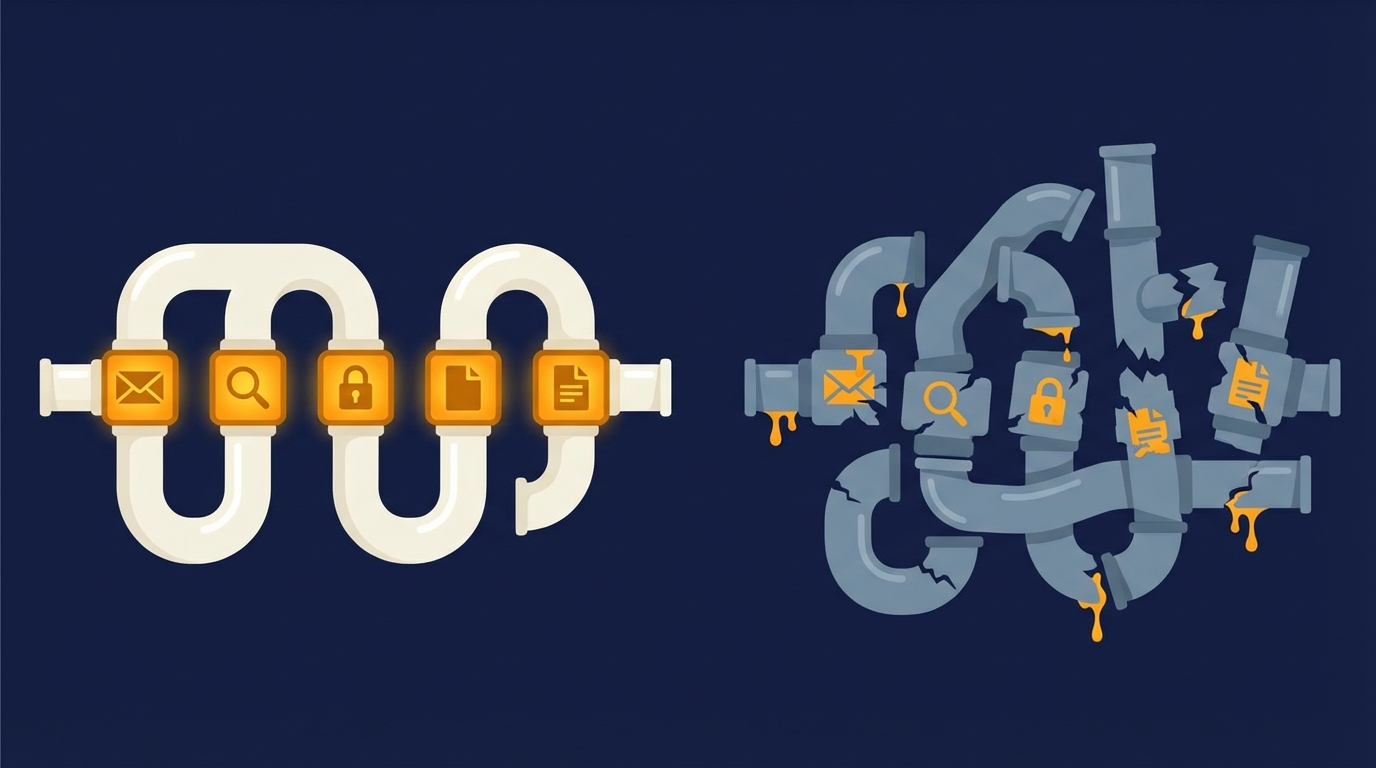
Then there's the product philosophy. WordPress is a general-purpose CMS. That flexibility is real, but for a publishing business it often means extra weight, extra decisions, and extra failure points. A basic blog can turn into a stack of Yoast, a caching plugin, an email integration, a membership plugin, and a redirect manager. Ghost handles all of this natively: SEO metadata, performance, email delivery via Mailgun, memberships and tiers, and redirects, with no plugin to maintain or conflict to debug.
The editor is better, too. Ghost's Markdown plus card-based editor keeps formatting clean and writing fast. You spend less time fighting a WYSIWYG interface and more time actually publishing.
Against Substack, the case is even clearer. Substack is easy to start with, but it gets restrictive once you care about ownership and search. Your publication lives on a Substack subdomain by default, canonical control is limited, and you don't get the same level of technical SEO flexibility. You can't set custom Open Graph images per post the way you can in Ghost. Substack also doesn't support custom sitemaps or sitemap submission to Google Search Console in the same practical, site-owner-friendly way. You can export subscribers, but it's a manual process that often loses useful metadata you'd want if you're building a serious audience operation.
If your goal is to publish emails, Substack works. If your goal is to build a brand you fully control, Ghost is the stronger bet. It combines content, newsletters, and memberships in one platform, which is why it feels less like a blogging tool and more like infrastructure.
Step 1: Nailing the Foundation with the Right Hosting and Theme
The first decision isn't your logo or your homepage copy. It's hosting.
For most people, Ghost(Pro) is the right answer. It's the official managed hosting service, and it handles updates, security, backups, and maintenance for you. Pricing scales with audience size, which is exactly how it should work. You pay more as your members and subscribers grow, not before. For 95 percent of creators, that trade is worth it because your time is better spent writing and promoting than debugging a server at 11:30 p.m.
Self-hosting has a place, but be honest about the cost. Yes, it can be cheaper on paper and gives you maximum control. It also makes you responsible for server setup, email configuration, updates, monitoring, and troubleshooting. If that sounds fun, go for it. If it sounds like a second job, use Ghost(Pro).
Your second decision is your theme, and this one gets underestimated constantly. A theme isn't decoration. It's your blog's operating system.
A good Ghost theme should be lightweight, accessible, and actively maintained. It should support current Ghost features cleanly, including memberships, tiers, and the content structures you may want later. A bad theme can wipe out Ghost's built-in speed advantage and box you into ugly compromises six months from now.
Start with the Ghost Marketplace, because it's the most reliable place to find vetted options. Then compare independent developers with a strong reputation. If you want a shortcut, browse some established Ghost theme reviews](#) [LINK WHEN LIVE] and look for names that keep coming up for code quality, not just pretty demos.
When you evaluate a theme, use a simple checklist:
- Recent updates
- Clear documentation
- Positive buyer feedback
- Mobile readability
- Membership feature support
- Fast demo performance in PageSpeed Insights
That last one matters more than people think. If the demo is already sluggish, your live site won't magically become fast after you add images, embeds, and scripts.
This is also where Ghost separates itself from WordPress again. On WordPress, a theme choice often drags in a dependency chain of builders, optimization plugins, and compatibility issues. On Ghost, a good theme usually stays out of your way. That's what you want when you start a Ghost blog with long-term growth in mind.
Step 2: Configuring Your Site for Search Engines and Subscribers
Ghost does a lot of technical SEO work for you out of the box, which is one of its biggest strengths. It automatically generates XML sitemaps, handles canonical tags, and includes structured data support. Your job isn't to bolt on technical fixes. Your job is to make the content layer sharp.
The first thing to do after launch is connect your sitemap to Google Search Console. Ghost already creates the sitemap, so you're not wrestling with plugins or custom settings. Submit it, verify indexing, and move on.
Then get serious about post-level metadata. In every article, open the post settings and write a real SEO Title and Meta Description. Don't leave them on default. The article headline can be written for humans. The meta title can be written for search intent. Those aren't always the same thing, and Ghost gives you the flexibility to separate them.
That same principle applies to social sharing. Ghost lets you customize Open Graph titles, descriptions, and images, which is a small feature with outsized impact. The title that works in Google isn't always the title that earns a click on LinkedIn or X. Treat social metadata as part of distribution, not an afterthought.

If you want a deeper breakdown of Ghost metadata, canonicals, and indexing, link this section to a dedicated Ghost SEO guide](#) [LINK WHEN LIVE].
The second half of this setup is email, and this is where many bloggers still think too small. If you're using Ghost, turn on the native newsletter feature on day one. Go to Settings > Email newsletter, configure your sender details, and make sure your publication email is ready to send. Ghost uses Mailgun for delivery, which is one reason its newsletter system feels much more serious than a basic form plugin bolted onto a blog.
This matters because the best time to collect an email address isn't after your blog is established. It's when your first useful post goes live. Every visitor from search, social, or referral should have a clear path to subscribe immediately.
Customize your welcome email before you invite anyone onto the list. This is your first impression, and most default welcome emails waste it. Tell people what they signed up for, how often you publish, and what kind of value they should expect. Keep it short, specific, and human.
There's also a subtle but real advantage here: Ghost lets you optimize three different layers of the same post.
- The on-page title for readers
- The search title and description for Google
- The social title, description, and image for sharing
A lot of bloggers never use that flexibility, which is why their posts underperform even when the content is strong.
Step 3: Building a Repeatable, Automated Publishing Workflow
A blog grows because the system works, not because inspiration shows up on command.
That's why your workflow matters almost as much as your platform choice. Learn Ghost's editor well enough that publishing feels frictionless. Use Markdown for speed. Build reusable snippets for things like author bios, call-to-action blocks, or recurring lead magnets. Small efficiencies compound fast.
Then use scheduling aggressively. If you can, always keep 2 to 4 posts queued up. That buffer changes the emotional tone of blogging. You stop publishing from panic and start publishing from a plan.
A simple workflow looks like this: idea, outline, first draft, edit in Ghost, add SEO and social metadata, schedule. That's enough structure for consistency without turning your blog into a factory.
Automation helps once volume increases. Zapier can connect Ghost to tools you already use, including Slack and other operational apps, so publishing triggers the right notifications and follow-up tasks. For drafting, tools like DraftSpring can turn an outline into a structured first draft that you then refine inside Ghost. Used well, that doesn't replace your voice. It removes blank-page drag.
If you want to start a Ghost blog that scales, this is the shift: stop thinking only about publishing posts and start designing a repeatable production system.
Your Ghost Blog Is a Foundation, Not a Final Destination
A successful blog isn't an accident. It's a system built from a few smart decisions made early.
That's the real case for Ghost. No other platform gives you this combination out of the box: fast performance, native email, and built-in monetization potential without a plugin stack to babysit. Ghost gives you the foundation. Your job is to use it deliberately.
This week, do four things before you obsess over your next article:
- Set your SEO defaults and write custom metadata for your key pages.
- Customize your welcome email so new subscribers get a real introduction.
- Schedule your next three posts so momentum isn't dependent on mood.
- Review your theme and hosting choices like infrastructure, not cosmetics.
If you do that, you won't just launch a blog. You'll start a Ghost blog that's built to grow. And if you're mapping the next step, a deeper Ghost membership tutorial](#) [LINK WHEN LIVE] or Ghost CMS setup checklist](#) [LINK WHEN LIVE] is the right place to keep going.